In beta with real households · launching soon

The family week,finally in one place.

FamPlan keeps pickups, dinner, chores, groceries, and loose lists together, so both parents can see what today needs and who is handling it.

Free to use · iPhone · iOS 17+ ·
No ads No tracking No points or streaks Kids need no accounts
The daily scramble

When the plan lives everywhere, nobody really has it.

14:52, in the group chat

“Who's getting Noah?”

The same pickup question, asked and answered again, because the handoff never had one clear owner.

Every Sunday evening

Five places, one family

The week is split between a calendar, a chat thread, a note, a whiteboard, and someone's memory. The full picture is never where you need it.

17:45, fridge open

The dinner stare

Everyone's hungry, nothing is defrosted, and the dinner plan is still a thought from earlier in the week.

One shared plan instead of

pickup texts dinner notes the chore whiteboard a separate grocery app “I told you on Monday” FamPlan
1

place to check before the day starts

7

dinners visible before the week gets busy

30m

heads-up before a pickup you own

0

points, streaks, rankings, or guilt

How it works

Start with the normal week. Handle the real one.

Add the recurring rhythm once, then let Today show what actually matters.

1

Add the weekly rhythm

School, work, activities, unavailable blocks, and pickup ownership. Enter it once, then reuse it every week.

2

Share it with your partner

One invite code gives both adults the same household plan. Children stay simple profiles, not accounts.

3

Check Today

See the next pickup, tonight's dinner, open chores, grocery needs, and anything that changed from normal.

What's inside

Everything a busy household checks, without the portal feeling.

Each screen answers one practical family question. No dashboards, scoreboards, or guilt loops.

Today

The day's handoffs, clear at a glance

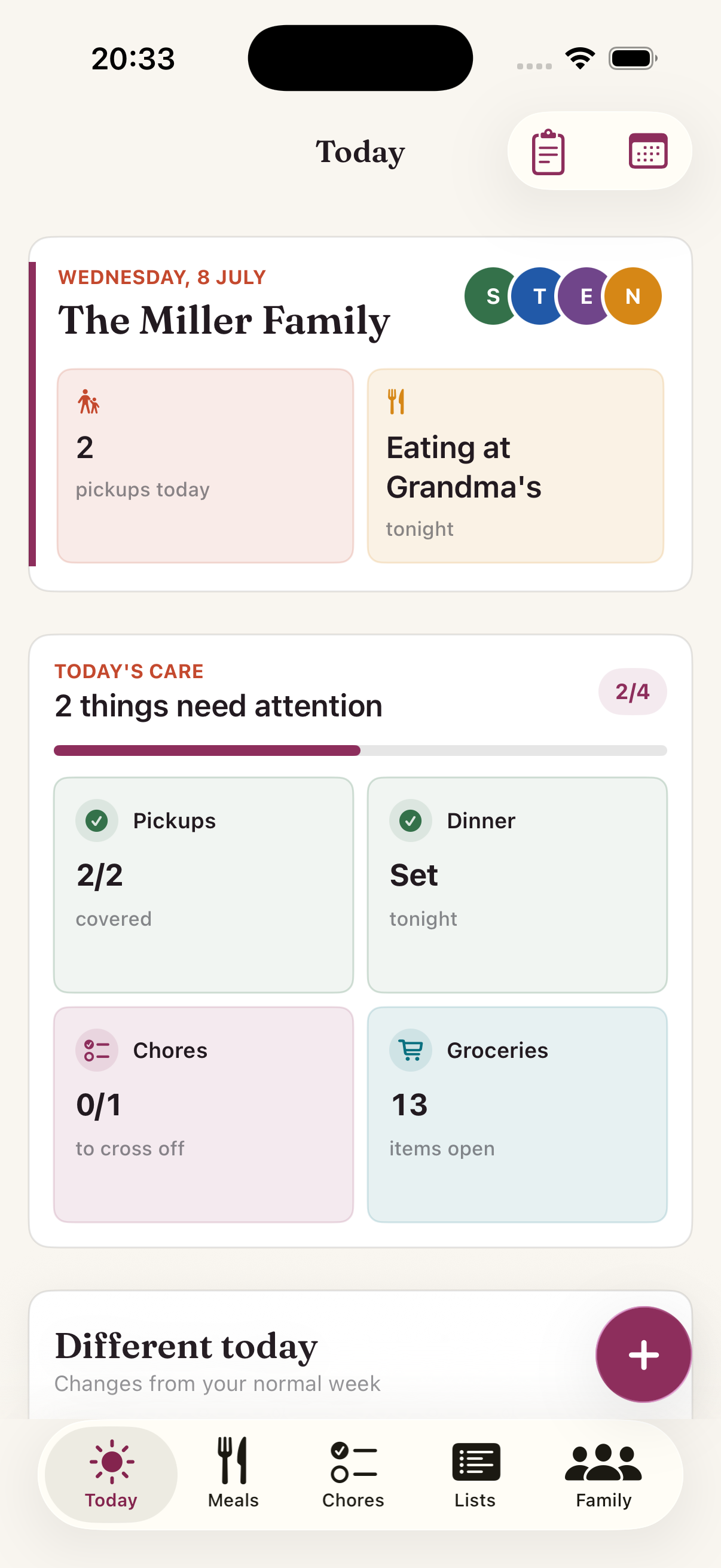
Everyone's day on one timeline: where people are, who is unavailable, who handles pickup, and what changed from the normal week.

  • Next pickup and responsible adult, front and center
  • One-off changes stand out from the routine
  • Home Screen widget for the glance without unlocking
Today screen showing the next pickup and tonight's dinner
Meals

Dinner decisions before the hungry hour

Plan the week's dinners in one sitting. Save family favorites, remember what worked, and send missing ingredients straight to groceries.
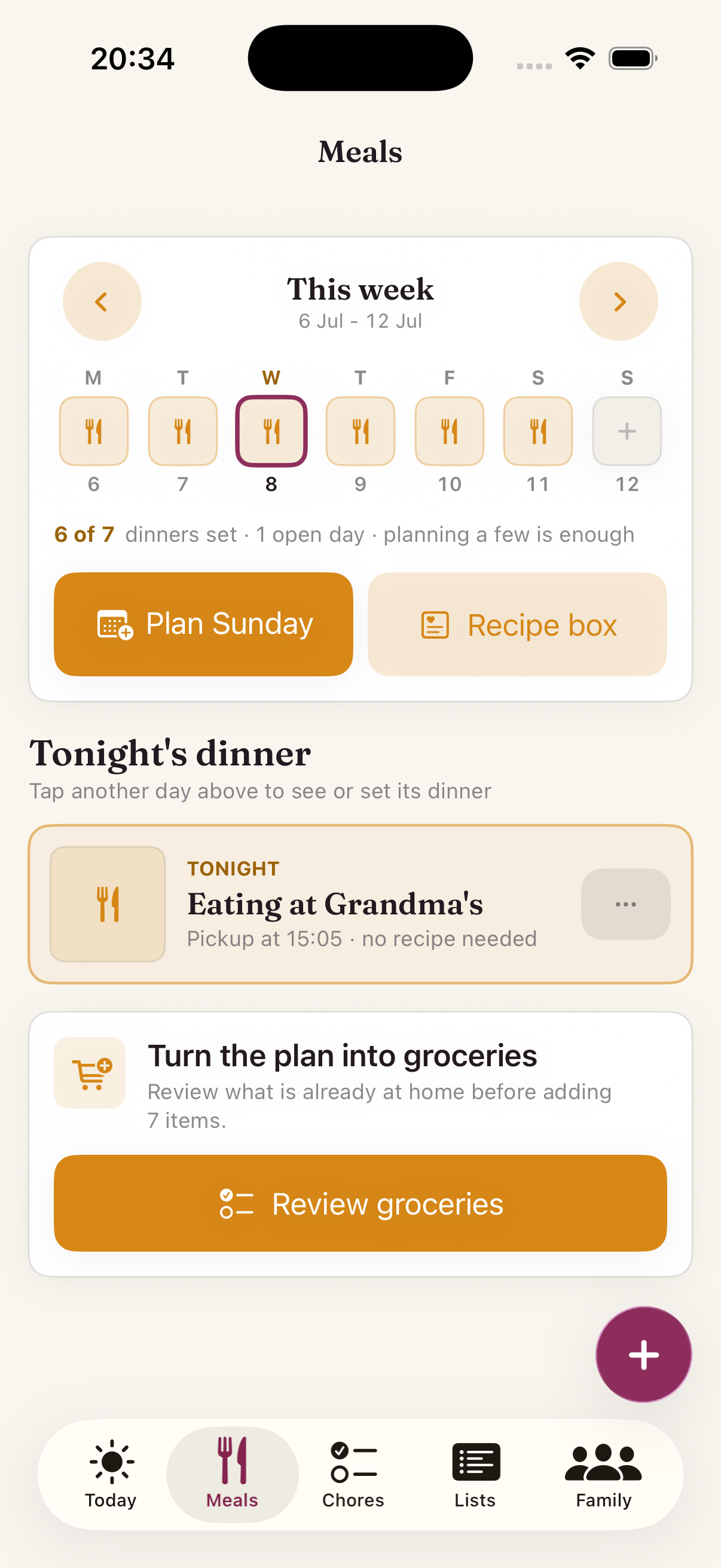
  • Week strip shows which evenings are settled at a glance
  • See which meals the kids actually liked while you plan
  • Fast options for busy nights: leftovers, takeout, eating out
Meals screen with the week of dinners
Chores

Recurring care without the scorekeeping

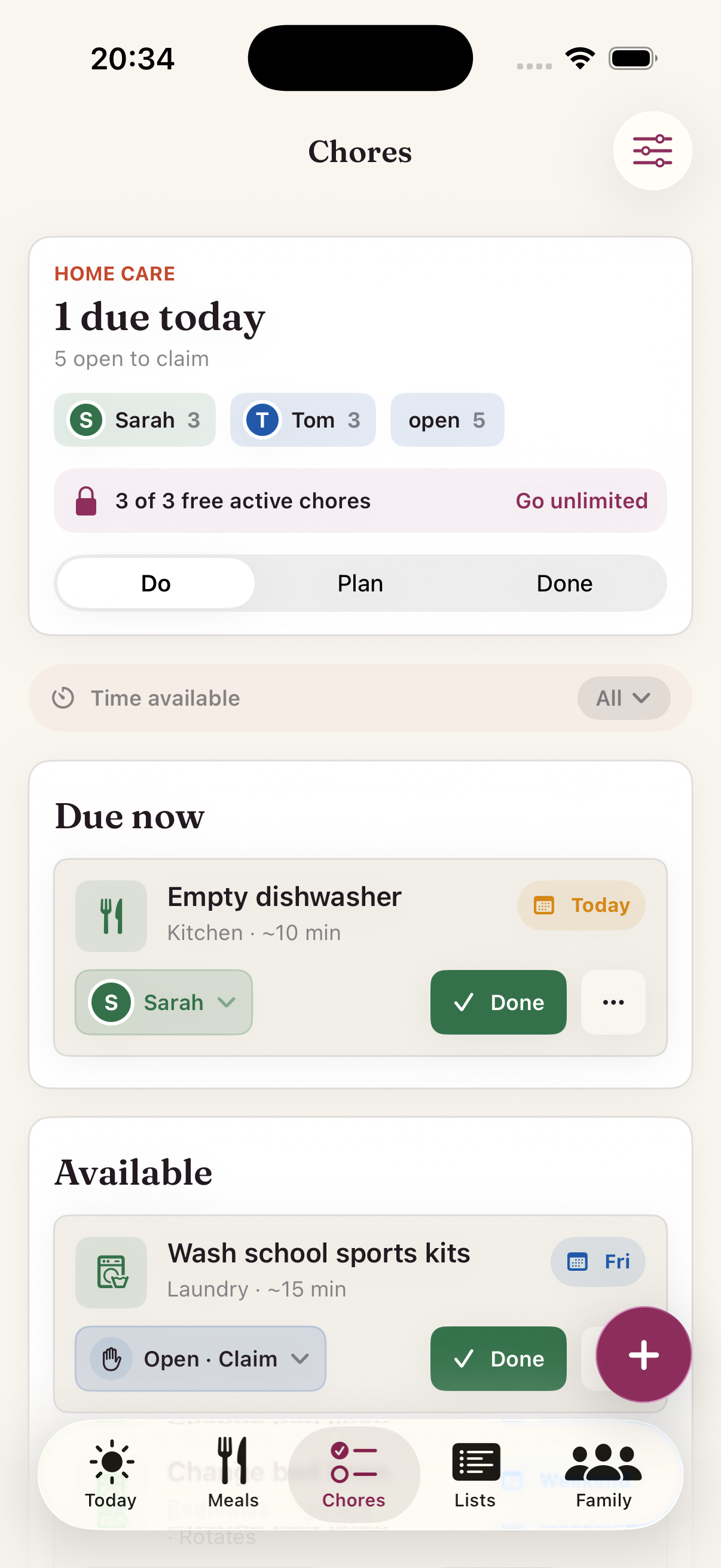
Chores stay visible, repeat on schedule, and have clear owners. Open work can be claimed when someone has time.

  • Simple views for due today, open to claim, and done
  • Ownership is visible without turning care into a contest
  • Pause chores when life happens
Chores screen with due and open chores
Lists

The loose lists finally have a home

Groceries get their own focused workflow. Everything else, errands, packing, school prep, repairs, gifts, and “not yet planned” ideas, stays close without becoming a project board.

  • Groceries with a shopping mode that groups by aisle and keeps the screen awake
  • Family lists for errands, packing, activities, forms, repairs, and gift ideas
  • Assign items to the person handling them, so nothing falls to "someone will"
  • Weekly grocery delivery rhythm with an order-by reminder before you miss it
Lists screen showing family lists for errands, garden project, summer activities, camping weekend, house fixes, and school prep
Family

The people and dates you plan around

Keep household members, birthdays, anniversaries, pickup patterns, and important dates in the place your week already lives.

  • Member photos and colors make ownership obvious everywhere
  • Birthdays and family dates with timely reminders
  • Notifications you choose. Never an engagement channel.
Family screen with household members and important dates
Beyond the basics

Small details that make it usable every day.

Home Screen widgets

Today and active lists where you can see them, even before you open the app.

Shopping mode

Big check targets grouped by aisle, a remaining count, and a screen that stays awake.

Recipe import

Paste a recipe link, review the details, and save ingredients ready for planning.

Reminders that respect you

A pickup nudge before it matters. A Sunday planning moment. No engagement noise.

Why FamPlan exists

Built after one too many “who has pickup?” moments.

FamPlan started in our own kitchen. Two working parents, two kids, and a week spread across a shared calendar, a chat thread, and sticky notes. Then came the afternoon we both assumed the other one had school pickup, and only caught it in a scramble of texts with minutes to spare.

Nobody was stranded, but it was close. I wanted one place where the week is visible, every pickup has a name on it, dinner is decided earlier, and the household runs without anyone keeping score. So I built it. Our family uses it every day, and I hope it makes your week feel lighter too.

Thien Dad of two · builder of FamPlan
Pricing

The daily plan stays free.

Use Today, pickups, groceries, events, birthdays, and widgets without a trial clock. Plus is for bigger households that want unlimited chores, lists, recipes, and recipe import.

Free

€0
No trial. No card. No catch.
  • The daily plan: Today, normal week & pickups
  • Groceries with shopping mode & delivery rhythm
  • Family events, birthdays & important dates
  • Home Screen widgets
  • To try the rest: 3 chores, 2 family lists, 3 recipes
MOST POPULAR

FamPlan Plus

€4,50/month
Or €45 a year, 2 months free
  • Everything in Free, with the limits removed
  • Unlimited recurring chores, so home care stays visible
  • Unlimited family lists for projects, trips & seasons
  • Unlimited recipes for family favorites
  • Import any recipe from the web with one paste
  • One subscription covers your whole household

One subscription covers the household. When one parent subscribes, everyone in the shared plan is covered. Joining by invite never costs extra.

Android interest

Raise your hand for Android

Every signup is a counted vote. We'll email you once, only if Android becomes real.

No newsletter drip. Just a note if Android becomes real.

App Store launch

Know the moment it's live

FamPlan is in beta with real families. Leave your email and we'll send exactly one message when it reaches the App Store.

One email when FamPlan is live. Nothing else, ever.

Your family's data

Built for household data, not ad data.

Family life is private. FamPlan stores only what you add, uses it to run the app, and answers to you, not advertisers.

  • No ads, no data sales, ever
  • No cross-app tracking; usage stats are anonymous and identity-free
  • Children are profiles, never accounts
  • Delete your account, delete your data
Got questions?

Questions parents ask before trusting a shared plan.

Is FamPlan really free?

Yes. The daily plan is free with no trial clock: Today, the normal week, pickups, groceries with shopping mode, family events, birthdays, widgets, and the recipe box. FamPlan Plus removes the limits on chores, family lists, and recipes, and unlocks recipe import from the web.

Does my partner need their own subscription?

No. One FamPlan Plus subscription covers the entire household. Your partner joins with an invite code and gets everything, at no extra cost.

What exactly does FamPlan Plus unlock?

Four things: unlimited recurring chores (free plans hold 3), unlimited family lists (free plans hold 2), unlimited recipes in the box (free holds 3), and recipe import from any website. Nothing on the daily plan is gated.

Is Lists just a grocery app?

No. Groceries live on their own with shopping mode and delivery rhythm, and family lists cover everything else a household is running: house renovation, packing for the summer trip, kids' activities, school prep, garden project, gift shopping, and any list you invent.

Do my kids need accounts?

No. Children are profiles that adults manage. No emails, no passwords, no accounts for kids. You decide what goes in.

Is this another chore-points app for kids?

Deliberately not. FamPlan has no points, streaks, leaderboards, or guilt mechanics. It shows who owns what and lets your family be a family, not a game.

Where is our data stored?

On your device. If you turn on sharing, it syncs through our secured backend where only your household can read it. See the privacy policy for the full picture.

What happens if we stop using it?

Delete your account in the app and your household's cloud data goes with it. No dark patterns, no "email us to delete."

Ready when you are

Make the week easier to see.

Free to start. One shared plan for the whole household.